Table of contents
Introduction
I run white noise on my computer when I work.
Not music — music pulls at me. Just steady, featureless sound that covers everything else, so I can actually think.
So when Balmuda made a clock built around that exact idea — white noise to help you focus, calm sounds to wind down at night, and a soft way to wake up in the morning — I had to try it.
So I did.
It's been on my desk and my nightstand for a little while now, and I've been poking at every button and sound it has. The videos in this post are my own.
And if I'm being honest, it's one of the more thoughtful things I've seen come out of Japan in a while. It's also, I'll warn you now, a little fiddly to learn — so I've put a full how-to-use section further down.
It's called, simply, BALMUDA The Clock.
This is the 40-second official video trailer of the product by Balmuda:
videoid="5ytRdkmkunk"
Let me tell you about it.
Here is a video of me unboxing the Balmuda The Clock!
And we are happy to offer this product on our site now, as the official retailer.

What Is BALMUDA The Clock?
First, the basics.
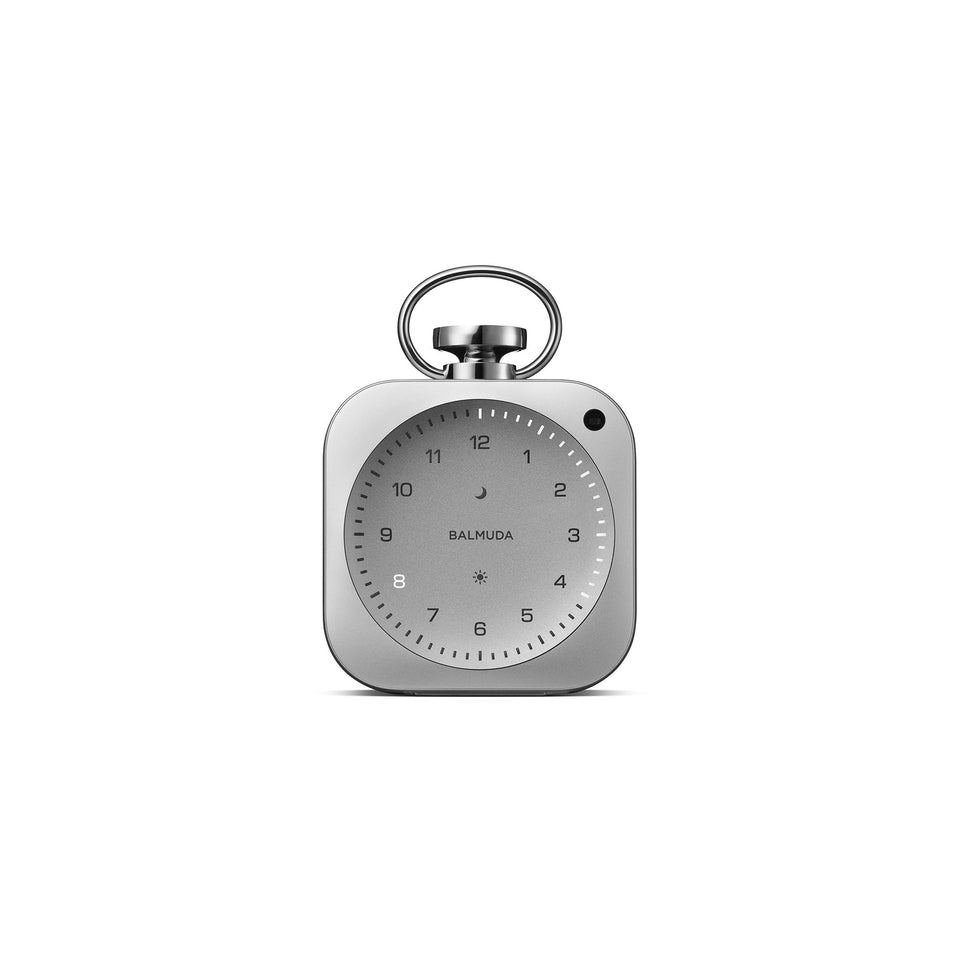
The Clock is a small alarm clock — about the size of an old pocket watch, machined from a single block of aluminum.
You can hold it in one hand and drop it in a bag.
Here's the part that makes people do a double-take: it has no hands.
None.
Instead of hands, it tells time with light. The number for the current hour lights up on the face, and a ring of small LEDs around the rim fills in the minutes and seconds. On the hour, a soft chime plays and the light sweeps around the dial like a pendulum.
It really does three things, one for each part of your day:
- Alarm — wakes you gently. A soundscape fades in over the three minutes before the alarm tone, so you ease awake instead of getting jolted.
- Focus — a timer from 1 to 60 minutes that plays white noise underneath, for working or a quick nap. (This is the one that got me.)
- Relax Time — fills the room with one of six original sounds, things like rain, a river, or a fireplace, for winding down at night.
You control all of it from your phone via Balmuda's app, and it runs on a built-in battery (USB-C for charging), so it isn't tied to an outlet.
That's the spec sheet. But the spec sheet isn't really the point — and I'll get to why in a minute.
But first, here is a video of how the Clock turns on and off. You press the left/right button (sun and moon button) at the same time to turn on/off.
Isn't it cool?
(Make sure the sound is on when you play the video, as it's part of the experience.)
The Design (and a Thank You to Jony Ive)
Balmuda is a Tokyo-based design company founded in 2003 by Gen Terao (寺尾玄).
He's an unusual founder. A high-school dropout who played music for years before he ever built a product — and you can feel that background in the work. Balmuda cares about how a thing sounds, how it glows, how it feels in your hand, not just whether it works.
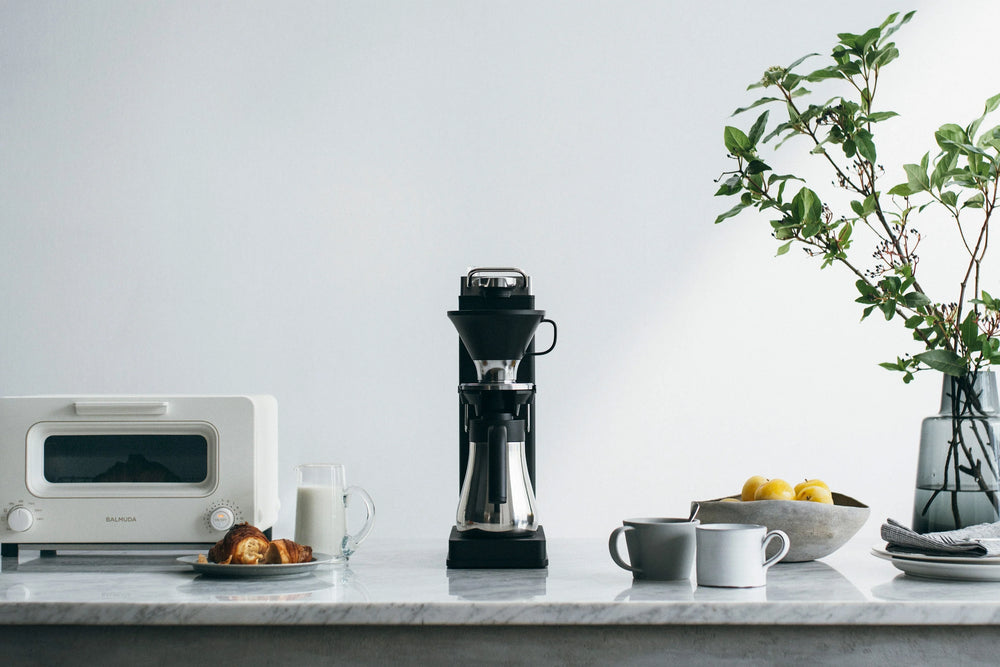
If you've followed us for a while, you already know the brand. We wrote about their pour-over coffee maker, The Brew, their MoonKettle after the LA launch event, and the Balmuda showcase at Cibone O'te in Brooklyn. Their steam toaster is what made them famous — it really did change how toast tastes.
For The Clock, Terao wanted the body to almost disappear. Extremely simple, modern, so the new way of showing time would be the thing you actually notice.
To pull that off, he needed a body carved from a solid block of aluminum. And that's where the story gets good.
In Balmuda's own telling, that body wouldn't exist without a friendship with Sir Jony Ive, the former Apple design chief, and his studio, LoveFrom.
The friendship started a few years ago. Through it, LoveFrom introduced Balmuda to a parts vendor that has spent decades chasing the very edge of precision machining — and The Clock's aluminum parts are made there. Balmuda's own note ends with two simple words: "Thank you, Jony."
This isn't the first time the two have crossed paths. In 2025, LoveFrom and Balmuda released their first real collaboration — the Sailing Lantern, a limited run of just 1,000, which Ive designed because he couldn't find a lantern tough enough for his sailboat. (To be clear, LoveFrom designed that lantern. With The Clock, their fingerprint is the manufacturing, not the look.)
Either way, you end up with the kind of object that feels like it cost far more attention than it had any reason to. Which is very Balmuda.
How It Shows Time: Light Hour & the Foucault Pendulum
Most clocks show you what time it is. The Clock is more interested in the time passing.
Here's how the display works — Balmuda calls it "Light Hour." There are no hands at all. Instead, the number for the current hour lights up on the face, and a ring of small LEDs around the rim fills in the minutes and seconds. One of those points travels around the edge as the seconds go by.
That sweep is the interesting part.
The light doesn't snap from mark to mark. It moves slowly, in a long arc, almost like a pendulum. That wasn't an accident. While they were working out the motion, Balmuda's team visited the Foucault pendulum at the National Museum of Nature and Science in Tokyo.
If you've never seen one, a Foucault pendulum is a long, heavy weight hung on a wire that swings back and forth for hours. The French physicist Léon Foucault first set one up in Paris in 1851 to prove the Earth turns. It swings so slowly that you can barely tell it's rotating — but over a full day, it traces a complete circle, quietly showing you that the planet is moving beneath it. It might be the only clock that shows you the time you can actually watch happen.

Foucault pendulum at Palazzo della Ragione in Padua, Italy
That's the feeling Balmuda was after.
Not a countdown.
A passage.
Two Kinds of "Time": 時刻 (the Point) and 時間 (the Span)
There's a small language thing here that English flattens.
In Japanese, two different words both get translated as "time," and the gap between them is exactly what this clock is about.
The first is 時刻 (jikoku). It comes from 時を刻む (toki wo kizamu), which means "to mark time" or "to keep time." The verb 刻む (kizamu) is the one you use for carving or ticking something off, notch by notch. So a 時刻 is the precise point you land on when you mark time: 7:14, 3:00, the exact instant. 時刻 is the single point. It's what almost every clock is built to hand you: the number, fast and exact.
The second is 時間 (jikan), which means "the space of time." The 間 (kan) part is the interval, the gap, the space in between. So 時間 isn't a single point at all — it's a stretch, a duration, an hour you actually spend inside something. An afternoon. A long dinner. 時間 (the span), not 時刻 (the point).
And here's the move. The Clock is quietly trying to pull you off 時刻 (the point) and toward 時間 (the span). Balmuda said it plainly — they wanted to do more than display the time; they wanted to make the time itself feel good to be in.
There's even a phrase for it: 良い時間 (yoi jikan), "good time," in the sense of time well spent, a good stretch of hours. That's the whole idea behind this thing. Not "here's the number." More like, "here's a better hour."
I didn't expect a small desk clock to get me thinking about any of this. But here we are.
How to Get the Limited-Time Offer
As an official BALMUDA retailer, we arranged something for our readers: a 15% discount code, valid for a limited time.
Sign up for the free Green Tea Club (unsubscribe any time) to get the code. Drop your email address here and you will get it right away:
Get My 15% BALMUDA Code
Once you have the code, you can use it on BALMUDA The Clock right here on our store — or on anything else BALMUDA make at BALMUDA USA.
Waking Up: The Sounds You Can Wake To
Now the sounds.
This is the part I had the most fun with — and the part I think is the most original thing about the whole clock.
Here's why.
Terao was a musician long before he was ever a product designer, and on this clock, sound isn't an afterthought he bolted on at the end.
It's the main event.
Think about how most of us wake up now: a phone, blasting that flat electronic beep or marimba buzz that yanks you straight out of sleep.
He didn't want that. He wanted you to wake into a sound, not get jolted by one.
So the alarm doesn't work like a switch — silence, then blare. You still set a regular alarm tone — the app gives you a few, Alarm 1, 2, and 3 — but the clock doesn't just hit you with it. For the three minutes before your set time, it plays a soundscape very quietly and slowly brings the volume up. By the time the alarm tone actually comes in, you're already stirring in a room full of soft sound, drifting up into it instead of getting shocked out of bed.
You pick what you drift up into.
These sounds are also available on Relax and Focus Mode.
Here are the list of the sounds:
- Morning Forest — a forest at first light, full of birdsong. (listen)
- Long Rain — steady rain, the easy kind that makes you want five more minutes under the covers. (listen)
- Infinity Boat — the creak and sway of a boat out on a wide river. (listen)
- Lodge — a fireplace crackling in a quiet cabin. (listen)
- Departure — a moment at the airport, thinking about "departure". You actually hear the sound of airplane leaving once in a while. (listen)
-
Milan — a morning in Milan, the city slowly coming awake.
This sound is used only on the alarm, and it fades in from no sound to full sound over 3 minutes. You can watch the video here. It may sound silent at first, but as you watch further, you notice the sound gradually gets louder. This is done by design so that you gradually wake up with the sound fading in. The sound is actually the real sound of Milan that the Balmuda team went and recorded.
(listen)
A couple of notes. Only Milan is wake-up-only — the other five here also fill in as the evening Relax Time sounds, and a sixth, White Noise #1, is the focus-timer sound (coming up next). Balmuda lays out the full map on the clock feature page.
The Focus Timer, and What White Noise Actually Is
This is the mode that sold me, so let me spend a minute on it.
The Clock has a focus timer. You set it anywhere from 1 to 60 minutes, hit start, and white noise plays under the countdown — a steady, even wash of sound that covers up the little distractions around you (a conversation in the next room, traffic, the fridge) so your brain can settle onto one thing.
This is exactly what I do at my desk, except I've been running it through my computer speakers. A dedicated object that just does this, and looks good doing it, makes total sense to me.
So — what is white noise, really?
Quick rabbit hole, since this is something I think about more than a normal person probably should.
"White noise" has an actual meaning. It's a sound with every frequency in it at roughly equal strength, all at once — the audio version of white light, which is all the colors mixed together. It comes out as that flat "shhhh," like TV static or a fan. Because it's so even, it's good at masking sudden noises.
But white isn't the only color of noise. The two you'll actually run into:
- Pink noise turns down the hissy high end and keeps more of the low end, so it sounds softer and more natural — steady rain, wind in the trees, a waterfall heard from far off. A lot of people find it easier on the ears than white, and some sleep researchers think it may help with deeper sleep.
- Brown noise (named after a type of random motion, not the color) drops the highs even further, leaving a deep, low rumble — distant thunder, a heavy waterfall, a jet far overhead. It's the warmest of the three, and for a lot of people, the most calming. It had a real viral moment a while back for exactly that reason.
There are others, too. Blue and violet noise lean the opposite way, into the bright, hissy high end (more useful in audio engineering than for sleeping), and grey noise is tuned so it sounds equally loud to human ears across the whole range.
On The Clock, the focus timer is white noise (Balmuda even labels the track "White noise #1"), plus a few other sounds to pick from. But if you've never played with pink or brown, it's worth a try some evening — you might find one that fits your head better than the rest.

Winding Down: Relax Time
At the end of the day, there's the third mode: Relax Time.
It's the same idea as the morning sounds, pointed in the other direction. Instead of easing you awake, it fills the room while you slow down. Rain on leaves. A boat creaking on the river. A fireplace is going in a quiet lodge. Balmuda recorded these in-house with outside musicians, and the sound really is far bigger and richer than something this small has any right to produce.
And while it plays, the dial doesn't just sit there. The little lights drift and shift — Balmuda based the movement on distant city lights and stars. So you get a soft glow and a soft sound, and that's it. No feed. No notifications. Nothing is asking anything of you.
It's lovely — and also, like the rest of the clock, not totally obvious to work at first. Let me walk you through how to actually use it.
How to Use BALMUDA The Clock
The first night, I fumbled with this thing. There's no screen and almost no obvious buttons, so it isn't the kind of clock you just glance at and figure out. Once it clicks it's simple — but it takes a few minutes to get there. Here's the short version, with Balmuda's own diagrams to make it clear.
(Diagrams below are from Balmuda's official guide - with their permission to use them.)
The Buttons and Parts

The Clock keeps its controls mostly hidden, which is part of why it looks so clean. There are really four you need to know:
- The Crown (the knob on top, like a watch) — turn it to change a value (volume, brightness, or the time while you're setting it), and press it to confirm.
- The Moon button (top left) — your Relax Time button. Press it to start the evening sounds.
- The Sun button (top right) — your Alarm button. Press it to get to the alarm.
- The Side button — runs the Timer. Press it once on its own and it shows you the battery level instead.

The face itself is two rings of light: 12 Hour LEDs for the hour, and 60 Minute LEDs around the outside for the minutes and seconds. Two small lights, the Moon LED and Sun LED, tell you whether Relax Time or the Alarm is set. There's also an ambient light sensor (the Illuminance Sensor) that dims the whole display automatically when your room gets dark, so it never glares at you at night.
Turning It On and Charging
To turn it on (or off), press and hold the Moon button and the Sun button at the same time. That "both buttons together" move is the one that isn't obvious — once you know it, the rest is easy.

It charges over USB-C. One thing worth knowing: it wants a fairly strong charger — 15 W (5V / 3A) or more, with USB-C on both ends — so a weak phone plug may not cut it.
The little Charging LED tells you where you stand: off means running on battery, pulsing means charging, on means fully charged, and blinking means the battery is low.
To check the battery any time, press the Side button once. The Minute LEDs light up to show roughly how much is left — Balmuda shows it in six levels, so a full ring is full and fewer lights mean less left.
If it drops to about 15%, it slips into a battery-saving mode: the display goes simple, brightness and volume are capped, and the Moon and Sun LEDs blink to nudge you to charge. Let it run all the way down and it powers off on its own.
Setting Alarms, Relax Time, and the Timer
Once it's on, the three modes each have their own button:
- Alarm — press the Sun button to get to it, then use the Crown to set the time and press to confirm. Remember, the sound fades in three minutes before the time you set, so the room is already full of soft sound by the time you're "due" up.
-
Relax Time — press and hold the Moon button to start the evening sounds, and use the Crown to adjust the volume.
- Press and hold again to turn off the Relax Time.
- Timer — press the Side button, set anywhere from 1 to 60 minutes with the Crown, and the white noise plays under the countdown.
You can do all of this on the clock itself, but the app makes it much less fiddly — especially picking which sound plays in each mode.
Here are some videos I shot to make it easier for you to get used to the most common features.
Pairing the BALMUDA Connect App
This is the part I'd actually recommend doing first. Download the BALMUDA Connect app (iOS or Android) and pair the clock over Wi-Fi or Bluetooth. From the app, you can set the time, build multiple alarms, choose the exact sound for each mode, dial in how bright the face glows, and even set a second time zone for travel.
The clock works fine on its own — but the app is where it stops feeling fiddly and starts feeling effortless.

A Couple of Honest Catches: Battery and Price
I'd be doing you a disservice if I only gushed. There are two things people complain about, and both are fair.
The first is battery life. The Clock runs about 24 hours on a charge. That's a full day — but it's not "set it and forget it." You'll be charging it regularly, and here's the part that matters: if you're using it as your alarm, plug it in overnight so the battery can't quietly die and leave you oversleeping. In practice, think of it as something that lives on or near its USB-C charger — on the desk during the day, plugged in by the bed at night. (The good news: a charging clock with no screen is still nothing like a phone, so the whole "no glowing feed at 2 a.m." point holds.) A full charge takes a couple of hours.
The second is price. There's no way around it — this is a premium piece, and yes, it's a lot to pay for an alarm clock. Whether it's worth it really comes down to what you're actually buying. Which isn't a clock.
Sleeping Without Your Phone, Waking Without Your Phone
Because here's the thing — what you're really buying isn't a clock. And the why, for me, is the part that matters most. It has nothing to do with how it looks.
The Clock didn't start as a product idea. It started as Gen Terao's own sleep problem.
He'd been doing the same thing a lot of us do: playing rain sounds on a tablet at night to fall asleep. But the screen glowed in the dark room, and his alarm was his phone, sitting right there on the nightstand. At some point, he started to wonder whether keeping all these devices next to his bed was quietly wrecking his sleep.
So he built the thing he wished existed. A small object that plays the rain, wakes you gently, and glows just enough to read the time — and nothing else.
No screen.
No feed.
No email from your boss waiting at 6 a.m.
And by his own account, two things changed once he had it.
First, his evenings. He plays Relax Time in the living room now — rain, crickets — and says he doesn't feel the pull to stare at a bright screen anymore. He's been reading actual books instead.
Second, and this is the big one: he started leaving his phone in the living room overnight.
In his words, "It's been decades since I slept in a bedroom without social devices."
Read that again. Decades.
That's the real pitch for The Clock, and it has nothing to do with how it looks.
Going to sleep without a phone in your hand, and waking up to rain instead of a buzzing screen full of notifications — that's the whole point.
Everything else is just how Balmuda gets you there.
A Good Cup, a Good Time
So, where does tea come in?
Right at the center, actually.
The whole idea behind The Clock is 良い時間 (yoi jikan) — good time, time well spent. And if I'm being honest, I can't think of a better way to spend a good evening hour than with a calm cup of tea and the sound of rain.
For the evening, you want something low in caffeine. My favorite is hojicha (ほうじ茶), our roasted green tea. Roasting burns off most of the caffeine, so it's gentle enough for late at night, and it has a warm, toasty flavor that fits a wind-down. If you'd rather, genmaicha (玄米茶) — green tea with roasted brown rice — is another low-caffeine, easy-on-the-stomach option, a little nutty and soft.
To brew it, a Balmuda kettle is the right choice. Their gooseneck kettle, The Kettle, pours slowly and cleanly. Or, even better for green tea, the MoonKettle, which lets you dial in the exact temperature — handy, since a lot of green teas brew best under boiling.
So here's the evening I'd set up. Boil the water. Pour a cup of hojicha. Put The Clock on Relax Time, dim the lights, and leave the phone in the other room.
Then just... sit there for a while.
No screen. Good tea, good sound, a good hour.
良い時間 (yoi jikan).
Good time.
That's the whole thing.
The videos in this post are mine — and if there's one thing I'd want you to see in person, it's that display after dark.
Now go make yourself a good cup, and spend a good hour with it.

Quick Reference
| Product | BALMUDA The Clock |
| What it is | A compact, pocket-watch-sized alarm clock with no hands — it shows time with light |
| Display | "Light Hour" — the hour glows as a numeral, a ring of LEDs marks the minutes and seconds, and the light sweeps like a pendulum on the hour |
| Three modes | Alarm (a soundscape fades in for ~3 minutes to ease you awake, then a traditional alarm tone) · Focus (white-noise timer, 1–60 min) · Relax Time (six original ambient sounds) |
| Sounds | Seven fade-in soundscapes — Milan (wake-up only), Morning Forest, Long Rain, Infinity Boat, Lodge, Departure, and White Noise #1; all but Milan also serve as Relax Time / Focus sounds. Traditional alarm tones (Alarm 1, 2, 3) are picked in the app. |
| Body | Machined from a solid block of aluminum; inspired by a traditional pocket watch |
| Size & weight | About 3 in (7.5 cm) square; roughly 7 oz (200 g) |
| Battery & charging | Built-in battery, up to ~24 hours per charge; USB-C (15 W / 5V·3A or higher); full charge in a couple of hours |
| App & connectivity | BALMUDA Connect app over Wi-Fi / Bluetooth — multiple alarms, dial brightness, second time zone |
| Design note | The aluminum body was made possible through Balmuda's friendship with LoveFrom (Sir Jony Ive's studio), which opened the door to the precision machining vendor |
Before You Go — Your 15% BALMUDA Code
Still thinking about it? Grab the 15% discount code while the offer lasts. Sign up for the free Green Tea Club (unsubscribe any time) and it is yours right away:
Get My 15% BALMUDA Code
Use it on BALMUDA The Clock right here on our store — or on anything else BALMUDA make at BALMUDA USA.
Related products





• Disclosure: I only recommend products I would use myself, and all opinions expressed here are my
own. This post may contain affiliate links that I may earn a small commission at no additional cost to you.
The commission also supports us in producing better content when you buy through our site links.
Thanks for your support.
- Kei and Team at Japanese Green Tea Co.


Get Free Bonus Books

Sign up for free to the Green Tea Club to get advice and exclusive articles about how to choose Japanese Tea, and tips, tricks, and recipes for enjoying Japanese tea.
About the author

Kei Nishida
Author, CEO Dream of Japan
Certification: PMP, BS in Computer Science
Education: Western Washington University